Saturday, 16 February 2013

The Emperor of Paris

The Emperor of ParisThe Emperor of Paris by C.S. Richardson
My rating: 5 of 5 stars

Brilliant, original storytelling. At first, I thought this book would be a Michael Ondaatje knock off, but I was wrong. The story is more rooted than an Ondaatje adventure; the mosaic plotting keeps us in suspense. Love, art, imagination, books, and an ending that is really the beginning.

OK, I'm being a bit vague. Here are three local reviews of the novel:

http://www.quillandquire.com/reviews/...

http://arts.nationalpost.com/2012/08/...

http://www.theglobeandmail.com/arts/b...

Also, a link to a CBC podcast of C.S. Richardson's love letter to Paris: http://www.cbc.ca/books/2012/09/cs-richardsons-love-letter-to-paris.html

Lastly, a video of Paris during the time of the novel (1900-1930):


View all my reviews

Tuesday, 12 February 2013

The iPad Experience


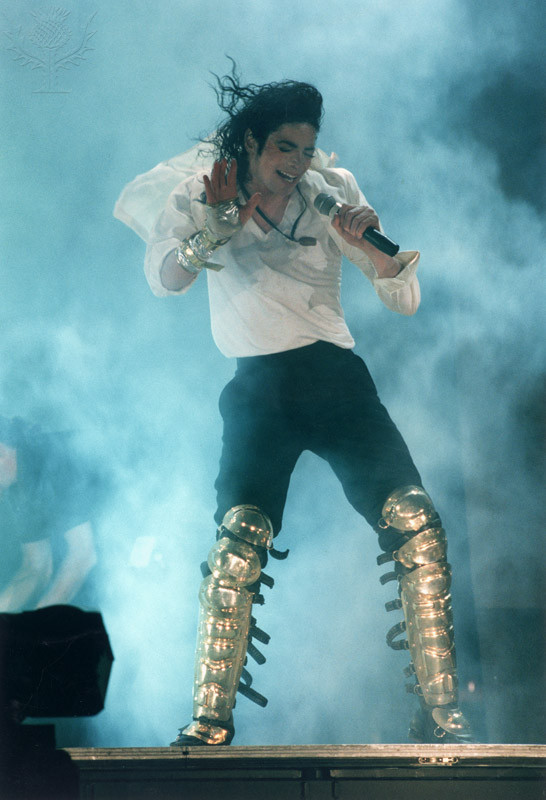
My school board lent selected libraries four iPads each in order for Teacher-Librarians to experiment with how to implement such technology in schools. Here's a summary of what I tried and, yes, Michael Jackson somehow came up during this experience:


  1. Lunchtime book trailers using iMovie: Only two students took the job seriously. The rest spent their time taking random pictures. ALL participants personalized each device. Students who did participate took many shots of books, but did not automatically add narration, video or text. They needed more time and guidance to shape their trailers. So...#2
  2. I wanted to have a whole class create book trailers for a class assignment, but the issue of time, work action, and only four iPads nixed the possibility. Technology in education will only work if everyone has access 100% of the time. Otherwise, why adopt technology, if you are unsure if you'll be able to use it when you need it? It becomes a burden. Teachers will stress about access; lack of access becomes a reason for students to not complete their work. An example of where 100% access to technology has been successful at our school: Each classroom has a teacher computer and a projector. No one has gone "back" to using the overhead projector.
  3. Introduced apps to teachers who are trying to implement the flipped classroom. They loved apps such as ScreenChomp or Educreations.
  4. I let some grade 12 boys during their spare borrow the iPads while they were doing group work. They wanted to be able to access the internet while still gathered around a table. On the downside, they did spend a lot of the time taking pictures of each other (!)
  5.  At lunch I sat with the four iPads on a table. Only senior students came over. Four out of six participants were boys. Their reactions: iPads are good for BYOD, but they thought for schools it would be cheaper to buy Android or Microsoft tablets; otherwise, they felt it would be a waste of money. One student was particularly emphatic about that. He said he would get very angry if we spent money that way. He preferred the idea of buying netbooks.  Regarding the iPads, the students liked the portability factor and thought they would use ScreenChomp and Garageband in the future. They didn't like the fact that they could use Flash and said that the iPad was just an overgrown iPod: a bigger screen, but less portable.
  6. At the end of an MLA workshop with grade 9s (we used the EasyBib app), a group of mostly boys played with Google Earth and asked Siri questions like: What's the meaning of life? Is Michael Jackson  still alive? 
  7. I was giving grade 12s a lesson on research using HaikuDeck. One of the slides I had created with Notability. Instead of copying the text from the slide, I was able to email the students the document straight from the app.
  8. Using the VGA cable to teach with iPad was great! Here's how to connect an iPad to interactive whiteboard: http://www.whiteboardblog.co.uk/2013/02/how-to-connect-your-ipad-to-your-interactive-whiteboard/
  9. Finally, I spoke to a student who had his own iPad mini. He loves it. Right now, he takes class notes on it and plans on using it at university next year to download textbooks. I recommended that he check out Notability, Evernote and Google Docs as writing tools on the iPad. For reading, I suggested he look at iAnnotate and perhaps Citelighter (although I wasn't' sure if it worked on Apple products). Presently, I'm using iBooks to download materials for an online course.
  10. I ran out of memory! I downloaded some TV episodes in HD and found that my 16G iPad nearly burst. Would recommend more memory...if you're interested in buying an iPad for yourself.
  11. Also, check out free access to online Microsoft Word, PowerPoint, OneNote, and Excel vis SkyDrive on your hotmail, live or outlook account. Only OneNote and SkyDrive have dedicated apps. They rest you have to access through a browser. Ironically, I've found that you can only access all the feature if you use the browser.

In the end, I found that the iPad is best used as a personal device. Where I see it being fully used is in a BYOD environment. The iPad begs to be personalized. One, because it can be in terms of aesthetics and app choice, but also because you need to have it linked to your email account to be able to easily share what you create on it.
However, if you have a class set, here are some tips on having shared iPads: http://ipadeducators.ning.com/profiles/blogs/tips-for-sharing-ipads-in-schools
I also would like to keep exploring using the iPad in teaching. As I read over my notes, I see how much students want to "play" with the device. Is that a bad thing (i.e., they are not doing what I want them to do), or am I looking at the possibilities in the wrong way?

Photo credits:
Teacher, Timothy Butt, And Students. Photography. Encyclopædia Britannica Image Quest. Web. 12 Feb 2013. http://quest.eb.com/images/155_2658810
Michael Jackson. Photography. Encyclopædia Britannica Image Quest. Web. 12 Feb 2013. http://quest.eb.com/images/115_2803142

Apple Unveils IPad 2. Photography. Encyclopædia Britannica Image Quest. Web. 12 Feb 2013. http://quest.eb.com/images/115_3823922

Tuesday, 29 January 2013

The Blondes by Emily Schultz

The BlondesThe Blondes by Emily Schultz
My rating: 3 of 5 stars

A story where women, particularly blonde women, have become the deliverers of death. The cover of the book is gorgeous and there are some particularly piercing observations and descriptions of New York: "There's the black corsetry of fire escapes, a symphony of car honks, and the way all the florists and corner stores arrange their carnations and lilies on pedestals with bows, as if any given weekday is as important as prom night" (24).

Still, I wanted the story to be elevated to another level. Really it's a social commentary with a small thriller element. The lives of the people in the novel still remain relatively normal. That is, society does not collapse around them: There are still people going to work, eating in restaurants, travelling, as well as playing chess in the park: "[We] fell back into our routine of breakfast, dishes, bathing, waxing, and shaving" (351). What the characters are doing is removing blonde hair, but the same habits could be said for women everywhere.

The biggest source of tension is what will happen to Hazel's unborn baby.

As I read, I kept wondering how it would all end. The ending is satisfying and affirming.

Fave quotes from book:

01/28page 293
75.0%"I don't believe there is a bond between all women. I don't believe that sisterhood is powerful. I believe just the opposite. I believe that these women were simply in the right circumstances to be kind. There was nothing preventing them from it."
01/27page 176
45.0%""This hair-borne illness...has been sent from God. That's right, send from God as a punishment for vanity. A punishment for promiscuity! A punishment for those who worship false dieties! A punishment for pride!""
01/24page 79
20.0%""Beautiful women...are full of anger over their privilege. They use deceit as a kind of trade. They receive more attention than other women, and want to be the centre of attention at all times. It's an addiction. And like all addicts, they're controlling and abusive, full of insecurity and rage.""
01/21page 24
6.0%"There's the black corsetry of fire escapes, a symphony of car honks, and the way all the florists and corner stores arrange their carnations and lilies on pedestals with bows, as if any given weekday is as important as prom night."


View all my reviews

Read more about the author, Emily Schultz.

Review from the National Post.

Video interviews about The Blondes:


Sunday, 9 December 2012

Creating Collaborative Spaces in the Library Using IdeaPaint

My library colleague @grahamwhisen put forward the suggestion that we turn some of the tables in our school library into whiteboards. Say what? How?

There is a product called IdeaPaint. The company website describes IdeaPaint as a material that "lets you create a usable, interactive space on practically any surface at work, school or home. IdeaPaint puts collaboration and interaction at your fingertips."


The Process


The IdeaPaint website provides an instructional video, as well as written "Help" to get you on your way. As you can see, everything is simply labelled. I do recommend that the first thing you do is make sure you have all the necessary materials ready because once you open This and That, you only have about an hour and a half to apply all the paint before it starts to solidify.


Easy Instructions
To start, recruit students to help with the sanding to get the job done quickly. Wax on, wax off.


Sanding
After sanding, thoroughly clean the grit off of the tables and let dry. Apply the base; use up the whole can by doing multiple layers. Having a thick base makes a big difference in the final product.


Applying the base
After the base dries, apply the top coat. Remember that IdeaPaint needs at least four days to cure. We kept our tables behind the circulation desk until they were ready to use.


Shiny top coat

First Observations

Because we had been preparing the tables in view of staff and students, there were many questions about what the heck we were doing. Also, seeing the work being done created a sense of anticipation. As soon as we put the tables out, students began to work on them.


Figuring out physics
On the first day, we left markers and erasers on the tables to allow students to explore using the whiteboard surface on their own. Some students worked out math and physics equations. Others doodled and played tic tac toe. There were yet others who merely liked to touch the surface of the tables.

Self-expression


Lessons Learned 


The first lesson is to not take any short cuts. For example, because the base was so sticky, we thought we didn't need to tape the sides of the tables for the top paint layer.


Oops!
It was interesting to note that these drips only seemed to bother our college and workplace students. They teased us a little bit, but they also had a ton of suggestions on how to remedy what we had done. Also, concerns about keeping the caps with the markers offered one student the opportunity to teach us a creative solution.


Student know-how
After our first day of free exploration, we found we had to start signing out the equipment; we had inappropriate pictures drawn on one table and erasers stolen. We have since bought packs of markers and erasers, put them in barcoded ziploc bags, and now sign them out to students. This solution has worked well.

I also find it helpful to work with the students and model appropriate uses for the whiteboard tables. A teacher-librarian can show them how the tables can be used for learning purposes, such as brainstorming, group work and visualization.

Student reaction? They'd like to see ALL tables in the school covered in IdeaPaint.


For more information, check out the IdeaPaint website and video:


Wednesday, 28 November 2012

Ru

RuRu by Kim Thúy
My rating: 5 of 5 stars

An arrangement of poetic vignettes. On the surface, Ru explores family, war, living as a refugee and integration into a new country. Underneath, Thuy ruminates on culture, conflict, language, love and memory. There’s a whole lot going on in this slender, beautiful novel.

What do you take with you when you flee your homeland? It is not what you think.


View all my reviews