Showing posts with label Critical Thinking. Show all posts

Wednesday, 28 January 2015

Sharp Tools, Dull Minds & Thinking Magic

I was reading Nicholas Carr's The Glass Cage: Automation and Us when I came across this passage:
"Modern [applications] are getting 'helpful' enough that at times I feel like an [application] operator than a programmer," writes Vivek Haldar, a veteran software developer with Google. "The behavior all these tools encourage is not 'think deeply about your code and write it carefully,' but 'just write a crappy first draft of your code, and then the tools will tell you not just what's wrong with it, but also how to make it better" (78).
Like the programming tools mentioned above, "applications automate many tricky and time-consuming chores" (78). Even though I know how to create a reference from scratch, I used BibMe.org  to create the following citation:

 Carr, Nicholas. The Glass Cage: Automation and Us. New York: W.W. Norton, 2014. Print. 

Why not? It's easier and I don't have to waste time on the nit-picky stuff. Haldar draws this "verdict: 'Sharp tools, dull minds'" (78).


I remember hearing how calculators would make us lazy when I was a tot in school. But we wouldn't take back the calculator from education these days, would we? Students are now free to move onto more practical applications of mathematics since calculators have liberated them from memorizing times tables.

But reading Nicholas Carr's book reminded me of the time, early one morning, a student asked me, "When will the library open?"

I replied, "In five minutes."

For some reason, the student then asked, "How many seconds is that?"

I paused for a moment and then said, "300."

The student was shocked: "How did you do that? How did you calculate that in your head?"

Magic.


Image credits:
Artificial intelligence. Photograph. Encyclopædia Britannica ImageQuest. Web. 28 Jan 2015. 
http://quest.eb.com/#/search/107_295715/1/107_295715/cite

Magicians at the Carnival in Berlin, 1836 . Fine Art. Encyclopædia Britannica ImageQuest. Web. 28 Jan 2015. 
http://quest.eb.com/#/search/108_277187/1/108_277187/cite

Tuesday, 18 February 2014

Your Teacher Loves Wikipedia, Part 2 - Creating an eBook

Earlier I had written a post called, "Your Teacher Loves Wikipedia" to highlight how Wikipedia is a great place to start (but not finish) your research.

Today I found this fantastic guide on how to create an eBook from Wikipedia articles. By using visuals, this guide demonstrates step-by-step how to generate an eBook. Students can gather, discuss and analyze the information they find on Wikipedia. EBook creation is a form of content curation. In this case, it is limited because students would be only using one source. But this compilation would form the exploratory step of their research. Also, if teachers need their classes to do some background reading on a topic, they can use this tool to gather factual material for their students.


I'd love to collaborate with other educators to think about how to leverage Wikipedia in student research. We should discuss with students what a wiki is, its benefits and its pitfalls. We need to recognize that Wikipedia is a valid starting point in research, a way of developing critical thinking skills and a launchpad for further inquiry.

Image credit:
Mikeedesign. Wikipedia - T-shirt. 2008. Photograph. Flickr. 29 Apr. 2008. Web. 18 Feb. 2014. http://www.flickr.com/photos/mikeeperez/2453225588/in/photostream/ and http://www.flickr.com/photos/mikeeperez/2453225588/sizes/o/in/photostream/.

Saturday, 8 February 2014

Close Reading in the Digital Age

Is close reading becoming a lost art?

I hope not, but I find that our digital tools are often a distraction and used more for entertainment than illumination. Next week at my school the distraction is being taken away from us--at least temporarily. Our computer network will be shut down for a week for an OS upgrade. There's no better time to reacquaint ourselves with the important skill of close reading. Of course, we won't give up our digital tools once the upgrade is complete. Below are some suggestions on how to use technology to enhance reading.

A Beautiful Classroom Poster on Close Reading provides teachers with a free, downloadable poster suggesting ways to help students become better close readers:


Actually Achieving Close Reading with Digital Tools shows ways to leverage screen capture and annotation tools to assist with close reading.

10 Strategies to Reach the 21st Century Reader examines how media design influences the modern reader. Skip to the end of the article to see how using media can enhance reading skills.


Tuesday, 12 November 2013

The Power of "I Don't Know"

What if a student asked a question and  a teacher simply replied, "I don't know"? This answer gives students incredible power.


Last week, I was working with grade 9 & 10 students on how to create a bibliography. I flipped the lesson by allowing the students to read the Smore lesson (link above) and then taking it up as a group. By letting them explore the lesson on their own, the class had plenty to talk about during the review.

After that, I gave them the "Perfect Score" task to do with minimal help from me.


There were certainly a lot of questions. I referred them back to a place in the Smore lesson. I let them struggle. When they didn't understand what was being asked of them, I told them about my Art & Inquiry MOOC experience this summer. We, the students, came up with a consensus of interpreting the instructions. In a class of over 17,000 students, no teacher would be able to answer all of the questions. We discussed how MOOCs may become the learning of the future. Even if it doesn't, I can't follow them to college or university and help them do their homework. (Yes, after this comment, I get many invitations.)


And then I witnessed something amazing: I saw the students who "got it" emerge as natural teachers and lead the other students through the task. This dynamic can be seen in Sugata Mitra's Ted Talk:  "The Child-Driven Education".


When students still had questions, I replied with "What do you think?" Then I asked them to support their reasoning. If they resisted answering, I asked them to guess and tell me why they had made that hypothesis.


Yes, this process took longer than if I had lectured them about creating citations. But the learning wouldn't have stuck.

Kinda reminds me of this Google Search Story:


Image credits:
Spread Of Knowledge, Conceptual Artwork.Photography. Encyclopædia Britannica Image Quest. Web. 4 Oct 2013.http://quest.eb.com/images/132_1245176

SUPERMAN RETURNS (2006). Photography. Encyclopædia Britannica Image Quest. Web. 8 Oct 2013.http://quest.eb.com/images/144_1547767

The Knowledge Totem Pole. Photo. Encyclopædia Britannica Image Quest. Web. 4 Oct 2013.http://quest.eb.com/images/167_4033838

Thursday, 31 October 2013

Decoding Assignments for ESL Students

Every semester we hold a Project Complete program to allow students to catch up on their work before midterm report. I am asked to help ESL students who have fallen behind on their schoolwork. Why have they fallen behind? They don't understand what to do.

In split-level classes, it is difficult for teachers to address the needs of all learners. Students new to Canada and the English language need more one-on-one instruction and modified assignments.

Here's an example of how I helped an ESL A student complete a grade 9 geography task to create a brochure for a Canadian national park.

1. Chunk the assignment. The research was in three parts. I only asked the student to look at one part at a time.


2. Highlight key words. Reduce the text.


3. Use Google Translate and Google Images to decode vocabulary.


4. Next, we went on to the Parks Canada website. I had to guide the student on how to use the features and navigation tools. Make the student read short pieces of text. Don't let them depend on you to do all the work. The one who does the work does the learning. Let them struggle with something they can handle.

5. Use "speak" functions for longer texts.


6. Print PDF fact sheets. Show which paragraph each answer is found in, otherwise the amount of text is overwhelming.


7. Still too much English? Ask student to highlight the words they DO know. For example, to complete the landform section, ask the student to highlight familiar vocabulary in the geography paragraph. Next, the teacher underlines two or three new and important words in pencil. Have the student look up the meaning of the words by using Google Images. Once he or she understands the word, the student can highlight it.


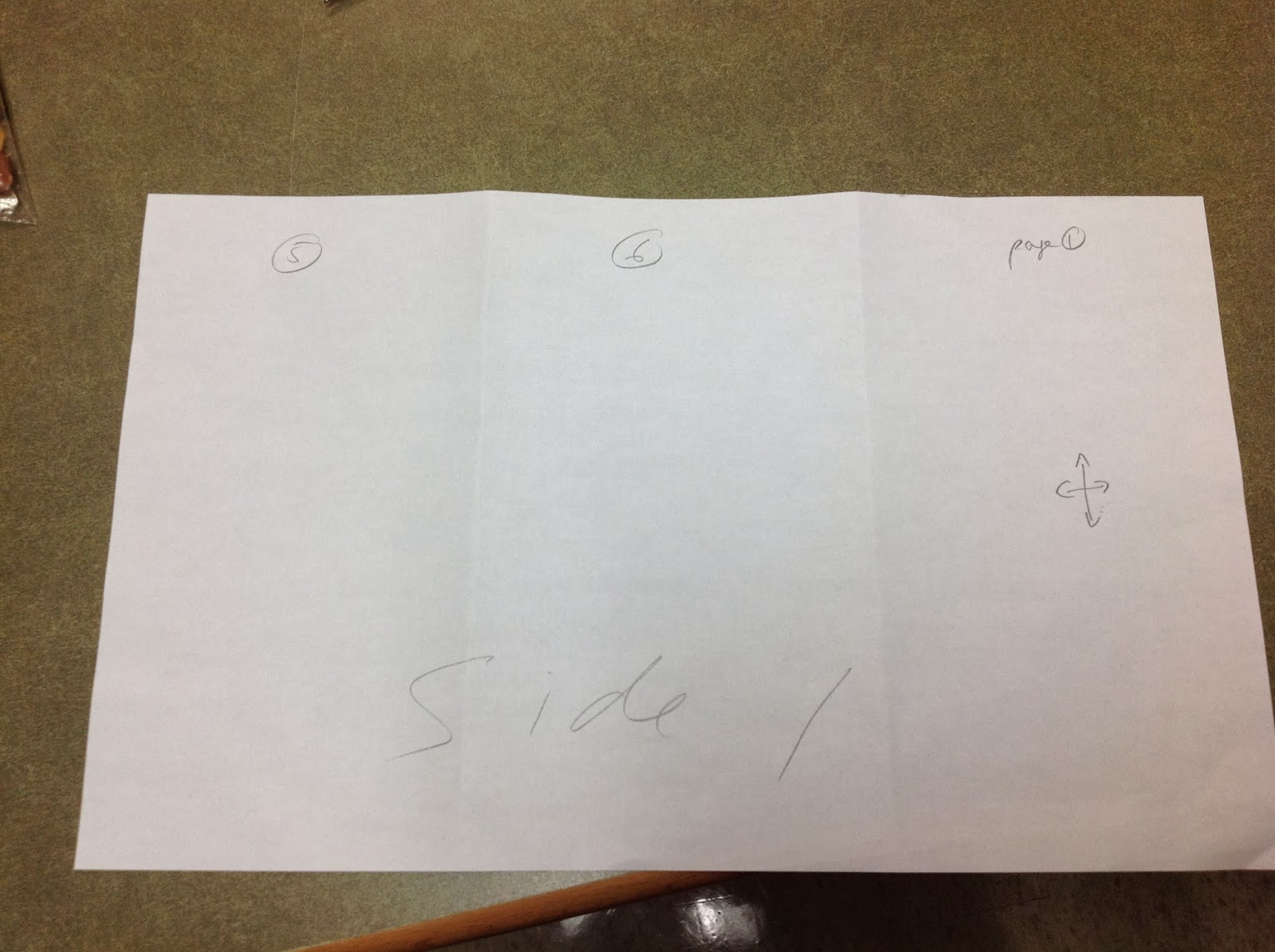
8. When the chart is complete, start transferring info to a brochure template on Publisher. Using Publisher or other computer programs will probably require further instruction. For example, you should show the student how the layout of a brochure works. Page 1 is on the same side as pages 5 and 6.


9. Print off a draft of his or her brochure.


10. Check against expectations. It is important that the student is involved in this process.


11. Edit with the student. Talk about why changes need to be made.


12. Student makes corrections and goes home happy once he or she has completed the task.

Note: This assignment took two days to complete. The next day, the student's teacher reported that the student wanted to try to complete tasks on his own even when she offered to help. He learned that he CAN do it!

Saturday, 26 October 2013

Human Bubble


After teaching two uncooperative grade nine classes about using databases, my colleague made an interesting observation: Is this generation a bubble in human development? These kids have grown up with the internet without parental guidance and supervision because the internet didn't exist when the parents were young; parents didn't understand what the internet was all about.

Did the same bubble happen with the printing press? Television?

Image credit:
Giant Bubble. Photograph. Encyclopædia Britannica Image Quest. Web. 26 Oct 2013.http://quest.eb.com/images/139_1895444

Googlers, Databasers & Bookies

"I'm so sick of students using Google!" a teacher said to me.

"How about letting them discover if it's the best way to find information for an assignment?" I replied.


In this instance, it was an English class of 30 that came in. I divided them up into three groups: Googlers, Databasers and Bookies. Each group had to find the three best essays in their allotted medium on Charlotte Perkins Gilman's "The Yellow Wallpaper". It is important to note, there was no assignment attached to this task. They were to spend two hours simply searching for great essays.


The class also given a Best Resources chart to fill out to record their progress, as well as three sticky notes. After they had filled out the chart, they were to reflect and record their observations on their resources on a sticky note and put their observations on a "+" "-" and "!" chart. What were the advantages of their resource? What were the disadvantages? What did they learn?

Some of the groups needed mini-lessons:
  • The Bookies on how to use the library catalogue and the Dewey Decimal system to locate a book.
  • The Databasers needed help accessing the databases and narrowing their focus.
  • The Googlers felt that they didn't need any help at all.
Which group finished first? Whenever I've done this task, it has alternated between the Databasers and the Bookies. It was interesting to observe that the Bookies always worked collaboratively and that each class concluded that the databases were the best place to look for information on this topic. Surprisingly (or not), the Googlers had the hardest time finding good resources. They were always the last group to finish because they did not know how to use the advanced search options in Google. The group got stuck retrieving commercial sites selling essays or university-level work from Google Scholar. I've suggested to students that they may enjoy learning how to become a Google Power Searcher... for free.

Students discovering which resources are the best by themselves...priceless.

(It is important to note that the point of this exercise is NOT to show that Google is bad. It is simply to find out which resource is the best place to find information on a given assignment. For example, I have had other results for students doing a science project.)


Image credits:

DR. SEUSS' THE CAT IN THE HAT (2003) - MYERS, MIKE; BRESLIN, SPENCER; FANNING, DAKOTA.Photography. Encyclopædia Britannica Image Quest. Web. 8 Oct 2013.http://quest.eb.com/images/144_1530573

Google Logo. Photography. Encyclopædia Britannica Image Quest. Web. 8 Oct 2013.http://quest.eb.com/images/158_2456205

Tuesday, 15 October 2013

Looking for Clues

"Think of yourself as Sherlock Holmes and you need to search for clues and you have a feeling whodunit." -Alison Head providing the metaphor for research


Works Cited:

Head, Alison. "What Is It Like to be a College Student in the Digital Age?." OLA SuperConference. Ontario Library Association. Metro Toronto Convention Centre, Toronto. 31 Jan. 2013. Address.
Jones, David. "Sherlock Holmes". N.d. Photograph. Haiku Deck. Flickr. Web. 10 Oct. 2013.

Tuesday, 13 December 2011

The Influencing Machine: Brooke Gladstone on the Media

The Influencing MachineThe Influencing Machine by Brooke Gladstone

My rating: 4 of 5 stars


The Influencing Machine: Brooke Gladstone on the Media is not your typical graphic text. It’s a sweeping look at the history of the media, as well as a forecast on how technology will influence human evolution.

Equal parts philosophy, cultural criticism, and polemic, Gladstone’s Machine shows her reader how news has been reported and how public policy has been shaped from an American perspective.

Compared to a text-based book, Machine sometimes seems to dispense its information in bits and pieces. Also, some parts of the book get very academic and abstract, which might prove difficult for student readers. But that shouldn't stop them from using the book as a launching point for investigating issues surrounding the media.

Still, the book’s ideas provide the reader with many chewy parts to digest, and the visuals often add a humorous kick to Gladstone’s arguments. I particularly liked the part where Gladstone imagines how humans will interact with nanotechnology and vice versa.

View all my reviews